
 Jarvis summary
A dealership conversation rarely ends when a customer leaves the showroom, finishes a service visit or asks a question online. The next step might involve a vehicle enquiry, a test-drive request, an appraisal discussion, a finance conversation or a service booking request. Each has different information requirements, owners and follow-up expectations.
That makes a digital business card more than a replacement for a printed contact card. Used well, it can give customers a clear route to the right person, the right dealership information and an appropriate next action. Used poorly, it can create confusion: outdated offers, ambiguous ownership, unmanaged requests and inconsistent brand presentation.
This guide explains how business owners and team leaders can use digital business cards for car dealerships as part of a clearer customer-engagement workflow. The focus is not on replacing dealership systems or making promises about sales outcomes. It is about making the path from first interaction to human follow-up easier to understand and manage.
Why dealership interactions need clearer next steps
A single dealership may operate several departments, represent multiple vehicle franchises and manage a mix of new, used, service, parts, appraisal and finance-related conversations. Customers do not necessarily know which team owns their question.
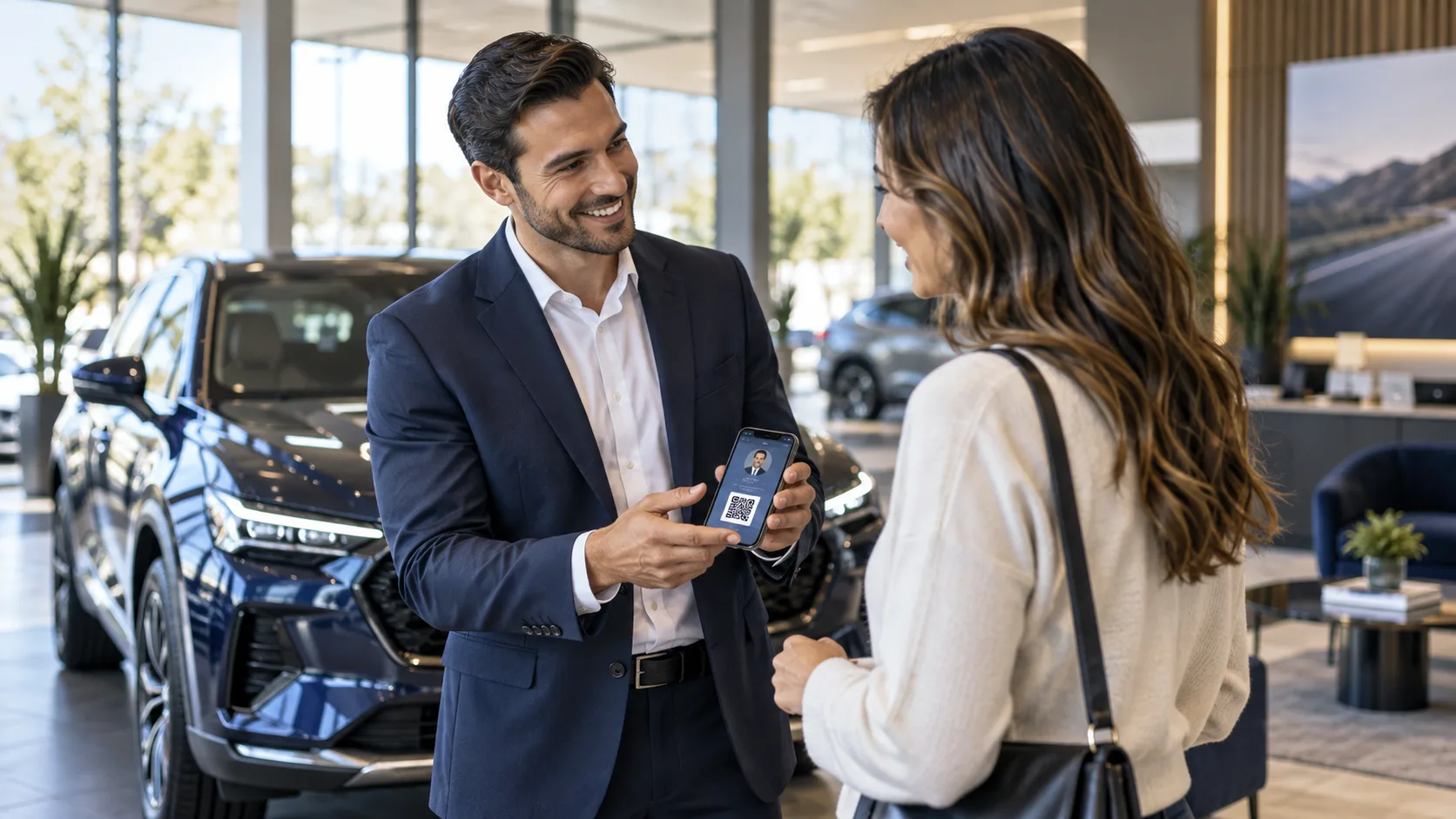
For example, someone scanning a sales representative's QR code may want to:
- Ask about a particular vehicle.
- Request a test drive.
- Compare a model with another option.
- Discuss trading in their current vehicle.
- Ask for help with finance-related next steps.
- Book a service appointment for a vehicle they already own.
- Check the dealership's approved specials or offerings.
A generic contact card may make it difficult to distinguish these intentions. A well-designed dealership digital card can instead guide the customer to a relevant action while showing who will receive or manage the request.
The aim is clarity, not pressure. A customer should understand what they are submitting, what information they are sharing and what may happen next.
Build staff profiles around roles and shared identity
Individual staff profiles matter because customers often remember a person before they remember a department. A customer may say, “I spoke to Alex in the showroom,” rather than recall a general sales inbox or a central phone number.
At the same time, every individual profile should reinforce the dealership's shared public identity. This helps preserve a consistent experience when customers interact with different representatives, departments or locations.
A practical staff profile can include:
- The staff member's name, role and department.
- Professional contact methods approved by the dealership.
- A clear dealership or group identity.
- A link to the relevant shared public page.
- Appropriate enquiry or request options.
- Approved Specials or Offerings.
- A route to the right team if the staff member is unavailable.
This structure lets each representative remain personally accessible without creating a disconnected collection of individual pages. It also reduces the chance that one employee shares outdated information while another shares the current approved version.
Shared public pages create consistency
Shared public pages are especially useful for information that should not vary from one employee to another. Depending on the dealership's workflow, this may include approved brand information, location details, department contact routes, current Specials or Offerings and general enquiry pathways.
The important word is approved. Dealerships should establish who can publish, amend and retire public content. This is particularly important for vehicle-related information, because availability, specifications, prices and promotional terms can change. A page should not imply that a vehicle is available, that a price is current or that a customer qualifies for finance unless the dealership's approved process can support that statement.
Where facts may change frequently, use wording that directs customers to submit an enquiry or speak with a team member for confirmation.
Distinguish the main dealership enquiry types
Not every customer interaction should enter the same queue. Separating enquiry types helps teams assign ownership, respond with appropriate context and avoid asking customers to repeat themselves.
| Customer need | Best initial route | Typical owner | Important boundary |
|---|---|---|---|
| Vehicle enquiry | Model or vehicle interest form | Sales representative or sales team | Confirm current facts before making commitments |
| Test-drive request | Request form with preferred timing | Sales team | A request is not a confirmed appointment |
| Service request | Service booking request form | Service advisor or service team | Human confirmation is required |
| Appraisal enquiry | Trade-in or appraisal request | Appraisal or sales team | Do not promise a valuation before review |
| Finance-related enquiry | Finance discussion request | Authorised finance contact or relevant team | Do not imply approval or eligibility |
| General dealership question | General enquiry route | Reception, customer care or assigned team | Route promptly to a named owner |
This distinction is valuable for both customers and staff. A service customer should not need to explain their booking need to a sales representative. A buyer asking about a test drive should not receive a generic service response. Clear forms and labels help create a more relevant starting point.
Requests should be human-confirmed
A request is an expression of interest, not a confirmed booking, sale, vehicle reservation, valuation or finance outcome.
This is particularly important for test drives and service bookings. A customer may choose a preferred date or time, but a member of the dealership team should confirm the details after checking the relevant operational requirements. The same principle applies to appraisal appointments and finance discussions.
Use clear language such as:
- “Request a test drive” rather than “Book your test drive now.”
- “Request a service appointment” rather than “Service confirmed.”
- “Ask for an appraisal discussion” rather than “Get your trade-in value.”
- “Request a finance conversation” rather than language that implies eligibility or approval.
This protects customer expectations and gives the dealership space to manage capacity, staffing and required information responsibly.
Keep offers and vehicle information current and controlled
Customers often use dealership digital cards after a showroom visit, while comparing options at home or when forwarding details to another decision-maker. The information they find should be useful, but it must also be governed.
Approved Specials or Offerings can give teams a consistent way to share public promotions or dealership priorities. However, a governance process is essential. Decide:
- Who is allowed to approve public content.
- What information can be shared on staff profiles.
- How often promotional content is reviewed.
- How expired offers are removed.
- How staff should handle questions about vehicle facts that need confirmation.
- Which customer-facing statements require additional review.
Avoid treating a digital card as a live inventory system, a definitive vehicle specification source or a finance decision tool. It can direct a customer to the right conversation, but the dealership should confirm current details through its established process.
Clarify ownership before enquiries arrive
An enquiry can be captured successfully and still fail if nobody knows who owns the next action. Ownership should be designed into the workflow before rollout.
For each enquiry type, define:
- The primary owner.
- A backup owner or team queue.
- The expected internal response process.
- What information should be visible to the person following up.
- What happens when the original staff member is absent.
- When a manager should be notified.
A sales representative's digital card may be the source of a customer enquiry, but the dealership should not rely exclusively on that person's availability. Staff take leave, change roles, work different shifts and may be in customer meetings. A visible handover route helps preserve continuity.
For example, a profile can make clear that enquiries will be handled by the representative or an appropriate dealership colleague. Internally, the dealership can establish a reassignment process so a customer is not left waiting because one person is unavailable.
Consent is not the same as promotional opt-in
Customers may provide their contact details because they want an answer to a specific question or want to request a service or test drive. That does not automatically mean they want ongoing promotional communication.
Dealership teams should distinguish between:
- Consent or permission connected to handling a submitted request, where applicable to the dealership's process.
- A separate promotional opt-in for marketing communications, where the customer actively chooses to receive them.
The wording, fields and internal handling should reflect that difference. Keep request forms focused on the information genuinely needed to respond. If promotional consent is offered, make it clear, optional and separate from the action the customer is requesting.
Because requirements differ by location and business context, dealerships should have their own appropriate legal, privacy and operational review of customer data practices. A digital card platform does not remove the need for sound internal governance.
Multi-franchise dealerships need visible clarity
A group representing several franchises or operating multiple sites can create unnecessary friction if customers cannot tell which brand, location or department they are contacting.
Make the following visible where relevant:
- The dealership or location name.
- The staff member's department.
- The franchise or brand context for the enquiry.
- The correct route for service versus sales.
- The relevant shared page or approved offering.
Do not assume that a customer understands how the group is structured. If a representative works across brands or locations, provide simple choices rather than one broad, ambiguous contact route.
A hypothetical showroom-to-follow-up example
Consider a hypothetical customer, Maya, who visits a multi-franchise dealership to look at a family vehicle. She speaks with Sam, a sales representative, but leaves before deciding whether to arrange a test drive.
Sam shares a digital card using a QR code or link. Maya opens the profile and sees Sam's role, the dealership identity, an approved public page and clear options to ask a vehicle question or request a test drive.
At home, Maya submits a test-drive request and indicates a preferred time. The form makes clear that this is a request and will be confirmed by the dealership. The enquiry is assigned to Sam under the dealership's CRM ownership and follow-up process. Sam is unexpectedly absent the following day, so the dealership's defined backup process routes the request to a colleague.
The colleague can see that Maya requested a test drive and follows up to confirm a suitable time. No promise was made that a particular vehicle would be available, that the requested time was confirmed or that finance would be approved. The customer received a coherent route forward, and the dealership retained ownership even when the original representative was unavailable.
This is the operational value of a well-designed digital-card workflow: less ambiguity at the point of interest and fewer avoidable gaps after the customer leaves.
Measure engagement without confusing it with sales
Digital engagement data can help leaders understand whether customers are using profiles and public pages. For example, teams may review link visits, QR interactions, content engagement and submitted enquiries where available in their workflow.
These signals can be useful for improving card design, staff adoption, public content and enquiry routes. But they are not the same as revenue, confirmed appointments, completed transactions or customer satisfaction.
Use engagement data to ask practical questions:
- Which staff profiles are being shared most often?
- Are customers selecting sales, service and appraisal routes correctly?
- Are customers engaging with approved Specials or Offerings?
- Are requests reaching an accountable owner?
- Are there recurring questions that public content should answer more clearly?
- Is one location or department receiving avoidable misrouted enquiries?
Keep the interpretation grounded. A high number of scans may indicate interest, but it does not by itself prove sales performance. A lower scan count may reflect a different customer interaction pattern rather than poor staff performance.
> Explore the workflow: MyMEX Cards supports digital cards shared by link or QR code, shared public pages, approved Specials or Offerings, booking requests, CRM ownership and follow-up, analytics, permission-aware access and Jarvis reviewed drafts. Learn more at MyMEX Cards or review the digital business card overview.
Dealership rollout checklist
Before issuing dealership digital cards widely, work through this checklist.
- Map sales, service, appraisal, finance-related and general enquiry routes.
- Assign a primary owner and backup owner for each route.
- Define the handover process for absence, leave and role changes.
- Create shared public pages for information that should be consistent.
- Establish approval rules for Specials or Offerings.
- Review vehicle-related wording to avoid outdated or unconfirmed claims.
- Label test-drive and service actions as requests requiring confirmation.
- Separate request-related permissions from optional promotional opt-ins.
- Set access permissions for staff, managers and content administrators.
- Decide which engagement measures will be reviewed and why.
- Train staff on when to share their card and how to explain the next steps.
- Test every link, QR code, form and internal ownership route before launch.
Common mistakes to avoid
Treating every enquiry as a sales lead
Service requests, customer care questions and appraisal enquiries may need different teams, information and response paths. A single catch-all inbox can delay the customer and obscure accountability.
Publishing ungoverned offers
Allowing every staff member to create public promotions independently can lead to inconsistent or outdated information. Use approved content and a clear review process.
Making requests sound confirmed
A customer should not be led to believe a booking, test drive, vehicle availability, appraisal value or finance result is confirmed when it still requires human review.
Leaving ownership with one person only
A named relationship is valuable, but operational resilience matters. Create backup ownership so customer progress does not stop when a staff member is unavailable.
Measuring clicks as if they were sales
Engagement can reveal interest and process opportunities. It should not be presented as proof of sales outcomes without the dealership's own validated analysis.
> Plan an assisted rollout: For help structuring staff profiles, shared pages and enquiry routes, contact MyMEX Cards through the assisted setup form. Teams can also explore lead capture and CRM ownership and follow-up workflows.
FAQ
Can a digital business card replace a dealership website?
No. A digital card is best used as a focused, shareable point of contact that helps customers reach a person, approved public information or a relevant next action. It does not need to replace the dealership's broader website or established systems.
Can customers book a test drive directly from a digital card?
They can submit a test-drive request where the dealership provides that option. The dealership should make clear that the request requires human confirmation.
Should service and sales teams use the same digital card?
They can share a common visual identity and public information, but their actions and enquiry routes should reflect their different responsibilities. A service customer should have a clear route to the service team, while a sales customer should have a suitable sales route.
How should dealerships handle an enquiry when the original representative is absent?
Set a documented backup owner or team queue. The customer should receive continuity without having to start the conversation again.
Does customer engagement guarantee sales results?
No. Engagement measures can help teams understand customer interest and improve workflows, but they do not guarantee sales, appointments, finance eligibility or other commercial outcomes.
Conclusion
Digital business cards for car dealerships work best when they make the next step obvious: who the customer is contacting, what information is approved, what kind of request is being made and who will follow up.
For dealership leaders, the opportunity is not simply to distribute QR codes. It is to build a more consistent bridge between showroom conversations, customer interest, departmental ownership and human-confirmed next actions. MyMEX Cards can support that bridge through shareable digital cards, approved public content, enquiry capture, permission-aware access and CRM-connected ownership workflows—while the dealership remains responsible for the quality of its processes, information and customer experience.